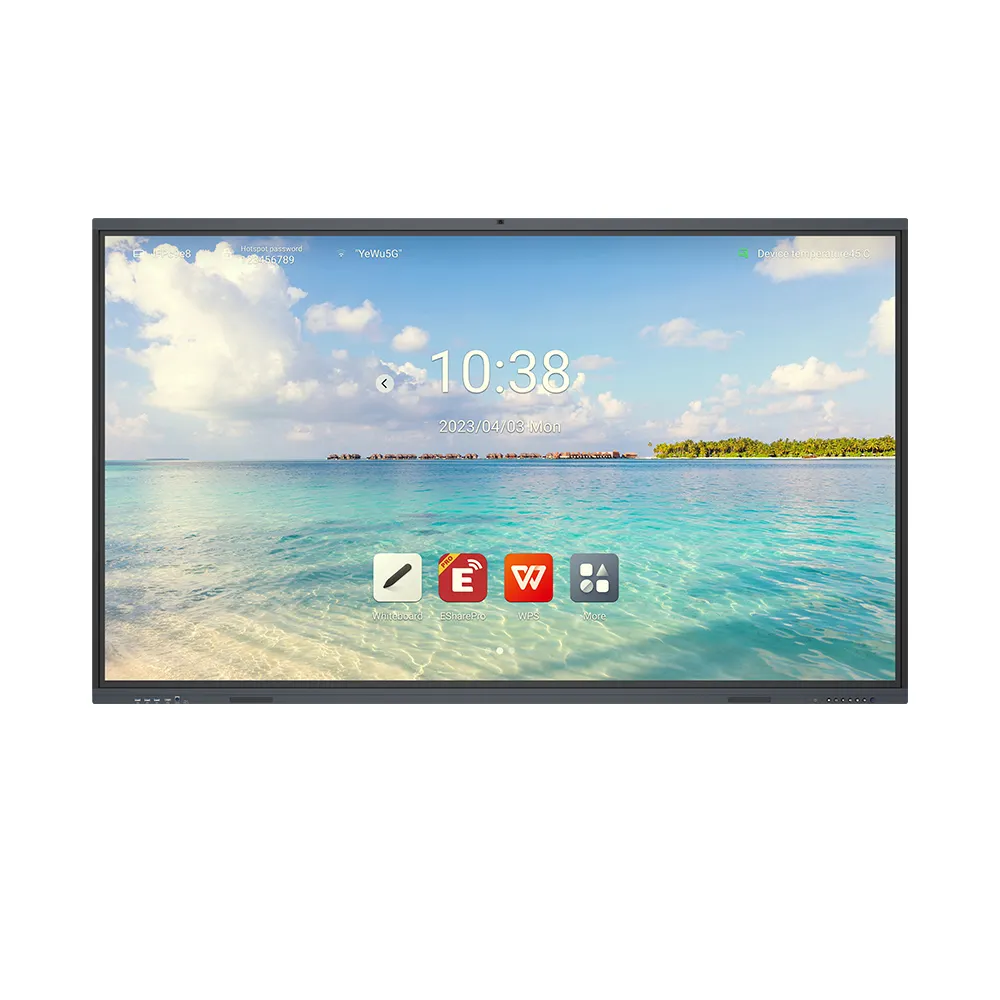
Buyers should prioritize compatibility, computing performance, and maintenance when selecting an embedded systems computer for interactive displays. A compatible OPS module offers a convenient way to upgrade computing hardware without replacing the entire panel. The QDE OPS Interactive Whiteboard Embedded Computer I7 supports compatible displays from 65 inches to 100 inches. Moreover, it supports 4K output and mainstream touch drivers. However, buyers should verify processor details, memory, storage, and operating-system compatibility before ordering.

Will the OPS Computer Fit Your Interactive Display?
Interactive displays may remain useful even when their computing hardware needs upgrading. Therefore, an OPS module can provide a practical upgrade path. Its plug-in design also helps reduce external cables and maintain a clean installation.
The QDE OPS computer uses a standardized OPS slot. It supports compatible 65-inch, 75-inch, 86-inch, 98-inch, and 100-inch displays. However, screen size alone cannot confirm compatibility.
How Can Buyers Verify Interface Compatibility?
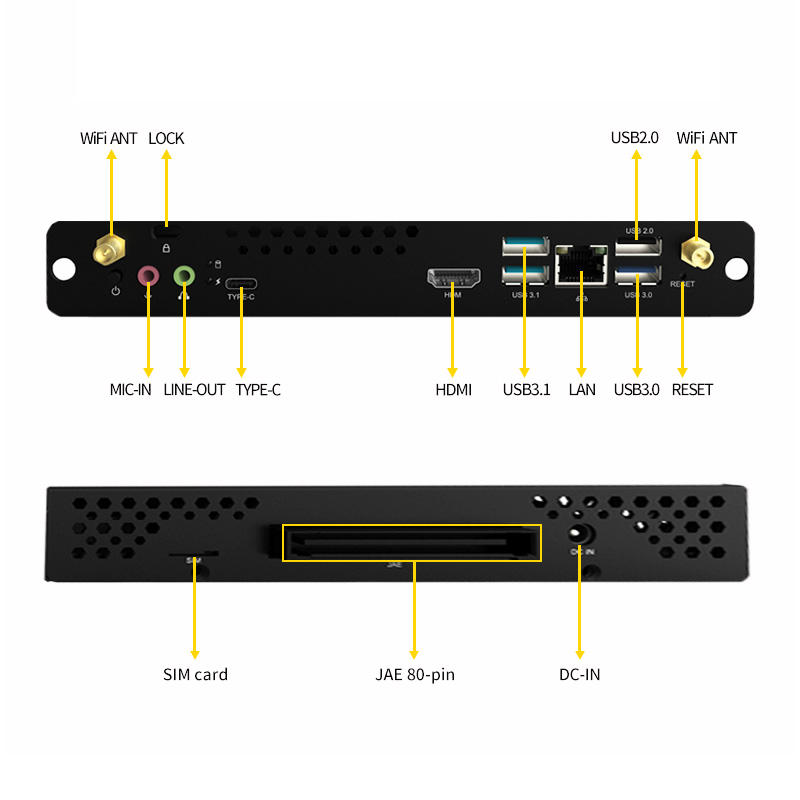
First, confirm that the display includes a compatible OPS slot. Then, check the model’s interface specifications, firmware, and installation requirements. These checks help reduce integration issues during deployment.
Can the Embedded Systems Computer Handle Your Applications?
Teaching and meeting applications often combine presentations, video playback, digital writing, and online resources. Consequently, computing requirements vary with software and usage intensity.
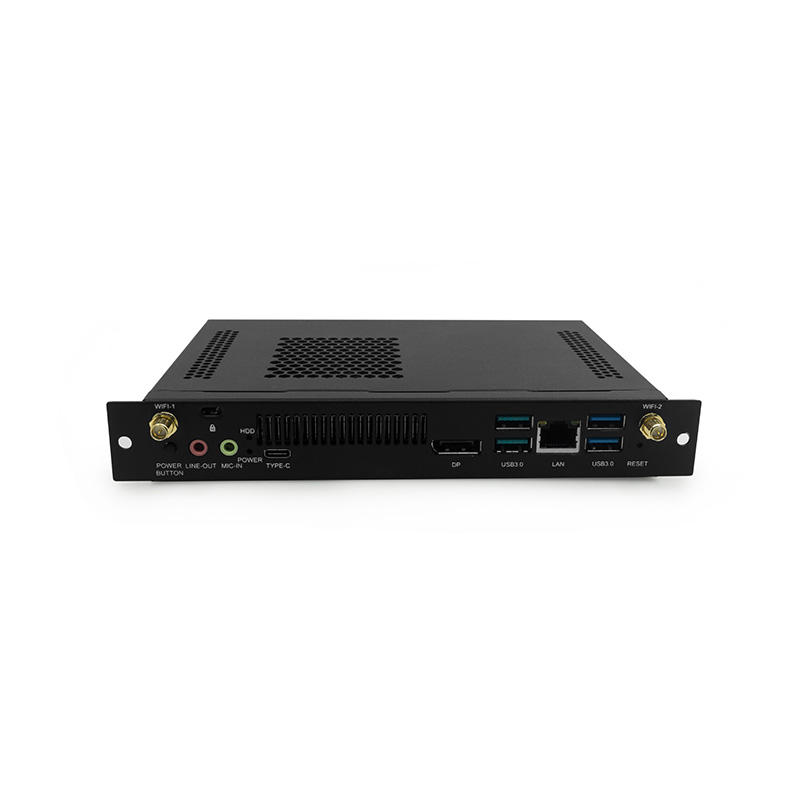
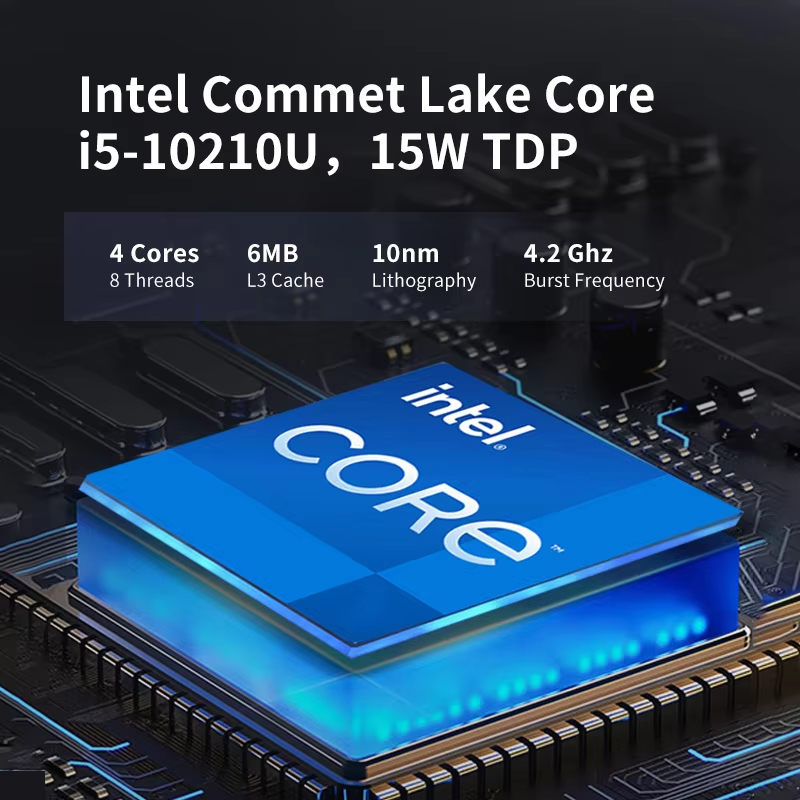
The QDE model carries an I7 designation. However, the supplied information does not identify its processor generation, memory capacity, or storage configuration. Buyers should request these details before selecting demanding applications.
Which Hardware Details Matter Most?
Start by identifying the operating system and software required for your project. Next, compare their recommended hardware specifications with the proposed OPS configuration. Also, verify driver availability and operating-system licensing before purchase.
This process helps buyers select an embedded systems computer based on actual workloads rather than processor naming alone.
Does the OPS Module Support 4K and Touch Interaction?
Clear visuals and responsive touch control are important for interactive teaching. They also matter during detailed presentations and collaborative meetings.
The QDE OPS computer supports 4K output and standard commercial-display refresh rates. In addition, it supports mainstream touch drivers and interactive display firmware. These features help integrate the module with compatible interactive panels.
What Should Buyers Test Before Deployment?
Check the supported refresh rate and output interfaces for the target configuration. Test touch accuracy, multi-touch functions, and firmware compatibility. Moreover, verify wireless or wired connections required by the intended applications.
Explore QDE OPS computers and interactive display products to review options for education and commercial applications.
What Specifications and Certifications Should Buyers Compare?
Product names rarely provide enough information for procurement decisions. Therefore, request a detailed specification sheet and applicable compliance documents before ordering.
|
Evaluation Item
|
Available Information
|
What Buyers Should Confirm
|
|
Product
|
QDE OPS Embedded Computer I7
|
Exact configuration
|
|
Installation
|
Standard OPS slot
|
Compatibility with the display model
|
|
Display sizes
|
65, 75, 86, 98, and 100 inches
|
Model-specific compatibility
|
|
Video output
|
4K support
|
Refresh rate and output interfaces
|
|
Touch integration
|
Mainstream touch-driver support
|
Driver versions and multi-touch functions
|
|
Processor
|
I7 designation
|
Generation and detailed specifications
|
|
Memory and storage
|
Not specified
|
Capacity and upgrade options
|
|
Operating system
|
Windows/Android integration described
|
Supported OS and licensing
|
|
Certifications
|
Not specified
|
Applicable certificates for the destination market
|
Why Are Testing and Documentation Important?
Request compatibility records, warranty terms, and quality inspection procedures. Also, verify certification documents against the exact model and target market. These steps help clarify technical requirements before bulk production.
Can an OPS Computer Simplify Long-Term Maintenance?
A modular design can help organizations retain compatible displays while upgrading computing hardware. For example, schools may replace a module when software requirements change. Meanwhile, meeting rooms can continue using suitable existing panels.
However, buyers should also assess replacement availability, software support, and service arrangements. For multi-site projects, standardizing compatible configurations may simplify procurement and maintenance.
QDE’s OPS computer targets interactive education, meetings, and digital signage. Therefore, buyers should define application requirements and acceptance criteria early.
Read our interactive display technical guide for further information about compatibility and deployment planning.
Q&A
Q: What is an OPS embedded systems computer?
An OPS computer is a pluggable computing module designed for compatible displays. It lets users upgrade computing hardware without replacing the entire panel.
Q: Which display sizes does the QDE model support?
Listed sizes include 65 inches, 75 inches, 86 inches, 98 inches, and 100 inches. Buyers should verify compatibility with their exact display models.
Q: Does the QDE OPS computer support 4K and touch input?
Yes, the supplied specifications list 4K output and mainstream touch-driver support. Confirm refresh rates and touch functions for the intended configuration.
Q: What should buyers confirm before ordering?
Request processor, memory, storage, operating-system, compatibility, warranty, and certification details. These checks help establish whether the module meets project requirements.





 Hot News